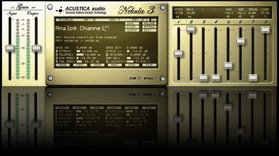
New reverb for Acustica Nebula Pro 3

Hey Everyone. This is a drums reverb for Nebula and it absolutely kicks some serious you know what when it comes to giving your drums a space. It has depth, 3D quality, power and life. Sampled at 96 khz this is a serious CPU hog but there are no compromises here. Sorry – if you have a slow computer – good luck. It also weighs in at 270 MBs so make sure you have plenty of RAM and a cutting edge computer.

Give your tracks dimension and depth that other reverbs cannot give. Distortion is also recorded so this will give your track power like nothing else. I hope you like it.

Enjoy…………………

get it here


I have just uploaded a 48 khz version to my webstore for those that need the lower sample rate.

If you like it you can go to my shop and buy it as token of appreciation for only £ 5 or send me a payment via paypal at, manager (at) henryolonga (dot) net . If you don’t want to pay – that’s okay as well but hey – it gives me the chance to sample more high quality stuff for you and provide it cheap so you can enjoy more high quality products.

New Our Zimbabwe release on the way……………….

Sometime before this year is over I vow – fingers crossed – to do a new release of ‘Our Zimbabwe‘. The orchestration was mainly done by Andy Wright who has produced Simply Red, Pavarotti and many others. He has given it a fresh take and to my ears anyway, it sounds wonderful……….

I will also include Nkosi Sikelela in the release

Two new Q-clone libraries guys

I have just added two more libraries to my arsenal.

Exquisite EQ This is the best EQ in my arsenal to date IMHO. Only a tenner.


Transparent Filters
These filters will give you a shockingly clear mix so that rumble, mud and high frequency sound are eliminated. Emulated on one of the most expensive digital consoles ever made. This is a bargain. Fiver

Win a copy of Blood sweat and treason.

Blood sweat and Treason - Henry Olonga

Blood sweat and Treason - Henry Olonga


I am doing a competition on facebook that will allow you the chance to win a copy of my up coming book Blood,sweat and treason. You will need to be my friend to take part of course.

The competition is simple. Download the mp3 file on my wall and make your own version of Our Zimbabwe and the winner gets to own the book and few other things thrown in. There will be runner up prizes as well so get cracking.

All the best and have fun – passion is more important than quality

New EQ for nebula from CDSOUNDMASTER.COM – Focal Point 115HD EQ.

The best nebula developer has just released another smashing success guys. The rare Focal Point 115HD EQ. It is a very very good tracking eq with a unique character. Check it out here. This is Michael’s best so far IMHO. Smooth, creamy – hmmmmmmm awe just go and buy it…

http://cdsoundmaster.com/site/software.html#anchor66849

Mammoth EQ from ANALOG IN THE BOX!!!

Well guys – it is finally here. The most anticipated release of 2010 in the nebula community is here – it is called the Mammoth EQ and it is released by Analog in the box. This EQ is the nuts and it is the sweetest thin I have ever heard in the box if I may so. I have been beta testing it and it is the best emulation/sampling bar none that I have ever heard of this make of eq. Never harsh and always respectful of the audio.
If you own nebula and are a mastering/mix engineer who works ITB – this is a no brainer – in fact – at 15 Euros, it’s a steal.

Long live Nebula!!!!!! What are you waiting for go and buy it…… you won’t regret it.

http://analoginthebox.com/mammoth_eq.php

Free Nebula Power distortion effect

nebula2

Get it here

Mega distortion is a distortion type effect that adds power and warmth to any instrument or mix. I made it using a unique signal chain. There is a slight levelling that happens as well allowing details buried deeper in the mix to come to the front. This effect is also useful in beefing up thin recordings. Try it on lame drums or a weak piano.
Sampled at 96 khz using Prismsound Orpheus convertors this is a no nonsense – no compromise effect. Ten distortion kernels means that this is a CPU hog so if you don’t have a fast machine – God bless you.
EQ first, perhaps with my free Q-clone libraries then place this baby into the mix and hear your mix come alive with power and analog warmth.
Use the input fader and drive knob together to increase the effect. The louder the signal is the more distortion you hear. On a loud mix you can really hear the effect. The effect adds gain so turn the output down a tad to avoid clipping your output and do avoid extreme gain settings – Nebula has its limits.
Hope you like it.
Best wishes and God bless
Henry Olonga
Get more free and exciting sampling products on my blog in the coming months.
Bookmark my blog as I will be releasing more free stuff in the near future.

Acustica audio’s Nebula sampling

In the coming months I will be starting to do sampling for Acustica audio’s Nebula.Not sure what I will start with but stay tuned.

Superlative EQ Q-clone expansion pack by Henry Olonga

20060103211715441

MIX in minutes with exceptional quality.Try the DEMO to determine if you like it.The demo has 86 of the 1055 presets in the package.


Get it here
It’s only ten pounds.The price of a CD……….but the quality is very good and it is an instant download.
If you do not have a credit card send a PAYPAL payment to ( manager @ henryolonga dot net ).This is a manual processing so will take longer to fulfil.

Demo of samples

BUY SUPERLATIVE EQ and get SMOOTH EQ Free.buy-one-get-one-free
I will send a link for the other package so just buy one.

Also check out my second library that compliments this well Smooth eq. If you use these two eqs with my FREE Nebula distortion patch – you will get very nice results.

So perhaps you’ve never considered mixing with presets before.But you know when the client list is too long to handle and you have a tight deadline to meet – or the workstation has run out of DSP?Or your workstation cannot run that nice and juicy sounding cutting edge plugin made for computers due in 2015.Or you invested in one of those Waves APA systems but hardly use it.Or perhaps it’s one of those weeks where the holiday season hasn’t left you yet and you would rather be at home rather than mixing.Well I may just have a tool to add to your arsenal that may help on those days………..

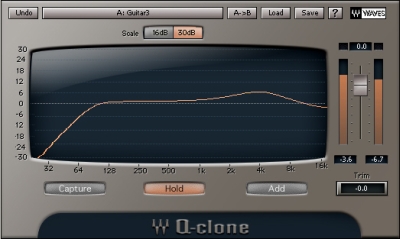
‘Superlative eq expansion pack for Waves Q-clone’.The polished mix….

I am very excited to offer the first expansion pack of this nature available anywhere to my knowledge.
This package is modelled on a very clinical clear EQ that is revered in most studios for its reference transparency. The wide bands make for a very musical boost that doesn’t overly colour the sound although it does make it sound better somewhat .The cuts are almost invisible. So because of this the package should be useful for a wide genre of music but it’s clear focussed and maybe ‘hard sound’ makes it suited more for some genres that don’t mind a clear polished sound. No fuzziness here – it is an honest zero distortion package that treats your material with respect. The better the source the better it sounds.Of course if you want distrotion you can use other plugins for that and I personally recommend Nebula by acustica audio.Have the best of both worlds.

This package took me five days to put together so I hope you will appreciate the time and effort put into making this a tool for your super fast mixing.
This set of presets is sampled to the highest specifications such that the difference between the sampled hardware and the sample you use is in the magnitude of negligible. This is truly analog sound in the box with no compromises. This set is sampled using Orpheus by Prismsound and is considered by some to be among some of the best convertors in the world. I have used short DIY gold tipped cables to connect the hardware to the box so there is virtually no loss in quality.Don’t settle for emulations costing far more and sounding inferior. Get great quality presets from my blog in the coming months.

Welcome to a new way of mixing. Basically I have taken the hard work out of your hands by spending hours studying recordings to find settings on my hardware that are generic enough to be used by a wide range of people on a wide range of instruments. But you might say – what if I don’t like your mixing decisions……don’t worry – I have given you plenty of wiggle room as each folder has numerous presets with subtle and also vast differences.
Next unzip the package and place the folder anywhere but in the Q-clone folder as it slows down the loading and the menu system is not that intuitive.I suggest you place them anywhere and use the load dialogue.On windows set the open dialogue explorer window to ‘list’ so that all the presets are visible without the need to scroll.The way to do this is to right click – go to view – and choose list.Not sure of a mac.

The package contains 1055 presets.They are grouped by instrument but please note that some instruments from the same family differ so much in timbre that no preset is perfect every time.However because there are so many you will find that some presets overlap in their usability.A preset made for a piano may well suit electric guitars and those made for kick drum may well work on bass.There are no effective rules so please just go ahead and experiment with what sounds work for you.
At this point perhaps you may want to download my other offering that compliments this library perfectly from my blog http://www.henryolonga.net/Blog/?p=266 . This package you want to unzip- and place in your q-clone presets folder which is in the Waves folder in program files.This is because you want to have this available to you in the preset menu.This will come in handy when you like a preset but wished it had an adjustment somewhere such as less bass : in that case you could use the high end tracking eqs low shelf to remedy this.Simply use the add feature in q-clone to add the adjustment using this high end tracking eq.And it also allows you to mix just with that particualr eq and avoid my decisions altogether – but what’s the fun in that hey…..
You may also want my other presets library ‘colour mix’ which adds even more flexibility to mixing.

http://www.henryolonga.net/Blog/?p=478 .Some eye opening stuff there.Again – probably best not to place it in your q-clone presets as it is a vast library.
Once you have unzipped the ‘Superlative eq expansion pack for Waves Q-clone’ and placed it in a convenient location such as the audio drive you use, you will want to take this package for a test run………..q-clone is so simple that even a novice could mix with it………just click load,chose a preset and off you go.If you like it ….great – if you don’t,try another until you smile……..
I suggest you use these first in your chain on a track.Obviously the buss stuff is exempt but I find that with the tight kits for example – if I compress after the Q-clone preset with a good compressor like CL 1B or Sonnox dynamics,it sounds crazy good.The full mix and drum folders may help lift your mixes to give them a polished sound.You may want to use these sparingly but on the right material these can be incredible.

Once in a while there is a bizarre bug in the plugin that may either make the volume 12 Dbs or – 48 Dbs.So if you get your head blown off or hear nothing – check the level meter.All of the presets were sampled at unity gain so simply get things back to zero and re-save the preset.
Also becasue of this please make sure you trim your track input by maybe 15 – 20 Dbs.In Cakewalk Sonar I just go all the way to minus 18.This is good audio gain staging anyway.There are also some really loud presets so please take care when loading them.Never run the plugin into the RED – it does not saturate so clipping is hard digital clipping that is very unpleasant.

Please leave a comment on my blog if you enjoy the use of these samples and if you really dig them it will be of great encouragement to me to sample more stuff.

http://www.henryolonga.net/Blog/?tag=q-clone-impulses

The other thing you could consider is sampling your own gear and sharing that too…..

Good luck mixing with this, it is my first preset packaged eq for Q-clone and I hope it gives you absolutely first class results.If you win a grammy – mention my name he he he
Best wishes.
Henry

Happy new year and more q-clone magic

henry_sampling

Happy new year everyone and to start the year on a good note I thought I would surprise you with six new q-clone packages.About 2400 odd audio snapshots in total.
Enhance your investment with q-clone by adding these presets to your colour palette.The links are near the pictures at the bottom of the page.

Check out my first commercial release here for £10 in this post.

Check out the Free High end tracking eq blog post

Demo of samples

The first is my colour suite.I have sampled lots of stuff in my studio and a studio I visited to make these babies.There is some Crazy good stuff here.Most of this is application driven whereas the rest are just settings snapshots with the odd application.Stuff I didn’t know q-clone could sample like short reverbs which adds a depth unlike anything I can describe.Check out the ‘odd stuff’ folder if you are into sound design.

Some will be useful to you in some situations and on others – walk on by.Remember there are no rules – guitar presets can work for vocals or synths etc.Experiment.As with all the previous samples I gave I suggest you add the files to a folder outside your Waves Q-clone folder as having them all in there slows it’s loading time.( only bummer is q-clone defaults to the last opened location ) The high end eq release is useful in the Waves folder in case you wish to add anything to your loaded preset like a cut/dip or boost.Overall however I suggest for you to use the open dialogue instead of the preset drop down menu.Up to you.

PLEASE note – there is a bug in Q-clone that sometimes has the volume go to either 12 dbs or -48 dbs.Just set the eq back to 0 and save it.Also because of this please make sure you trim your track input by maybe 10 – 15 dbs.You don’t want a nasty shock……………there are also some really loud presets so please take care when loading them.

Couple of suggestions………..
1st – suggest (again) to use the load ( open preset dialogue ) instead of downloading them into your q-clone presets folder.On windows set the open dialogue box to – right click – view – list.This will make all the presets visible.Dunno about mac.

2nd -obviously these are no good for tight notches and don’t work on everything so augment their use with your other eqs.An example may be that you like a preset but it is too bassy.Well simply use another eq to sort that out or remove resonance etc..

3rd – I suggest use these first in your chain on a track.Obviously the buss stuff is exempt but I find that with the tight kicks for example – if I compress after the Q-clone preset with a good compressor like CL 1B or sonnox dynamics,it sounds crazy good.

The rest are high end EQs.Enjoy… and let me know if these help you mix better.

Colour mix

pultec

Pultec file

Passive eq simple

desk

MCI JH 500 Series console

tg_passive

Nice passive eq

enhanced_pultec

Enhanced pultec